
Loading...

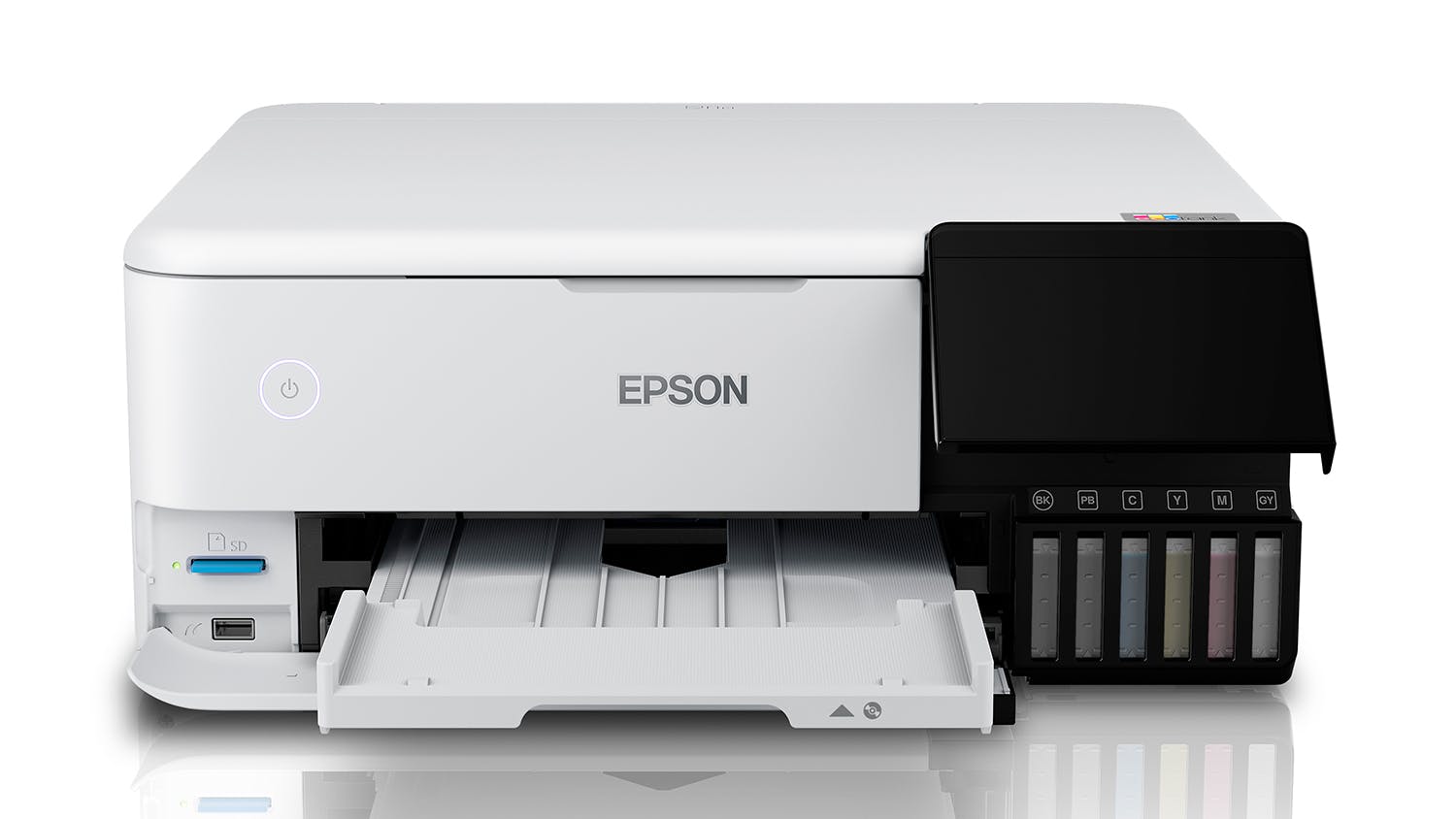
Epson EcoTank ET-8500 A4 All-in-One Ink Tank Printer

Epson EcoTank ET-8500 A4 All-in-One Ink Tank Printer

$995

Epson EcoTank ET-8500 A4 All-in-One Ink Tank Printer

C11CJ20501
Epson ET-8500 EcoTank Photo All-in-One Printer
Shortlist Compare
$995
or 36 equal monthly interest free installments on a Gem Visa credit card of
$27.64^
GEM Finance Card
Total repayments $995 excluding fees.
Find in Store

Available on 36 months of equal Interest Free instalments:

$27.64^
approximately
per month
^ Total repayments $995 (excluding fees). Min purchase of $500 applies. Offer ends 30/06/2026. Equal monthly payments required. Lending criteria, T&Cs & fees apply incl. a $55 estb. fee & $65 annual fee ($32.50 half yearly). Standard interest rate (currently 29.49% p.a.) applies after interest free term ends. Exclusions may apply. *Further information on rates and fees can be found at gemfinance.co.nz. Credit provided by Latitude Financial Services Ltd.
How it works
Description

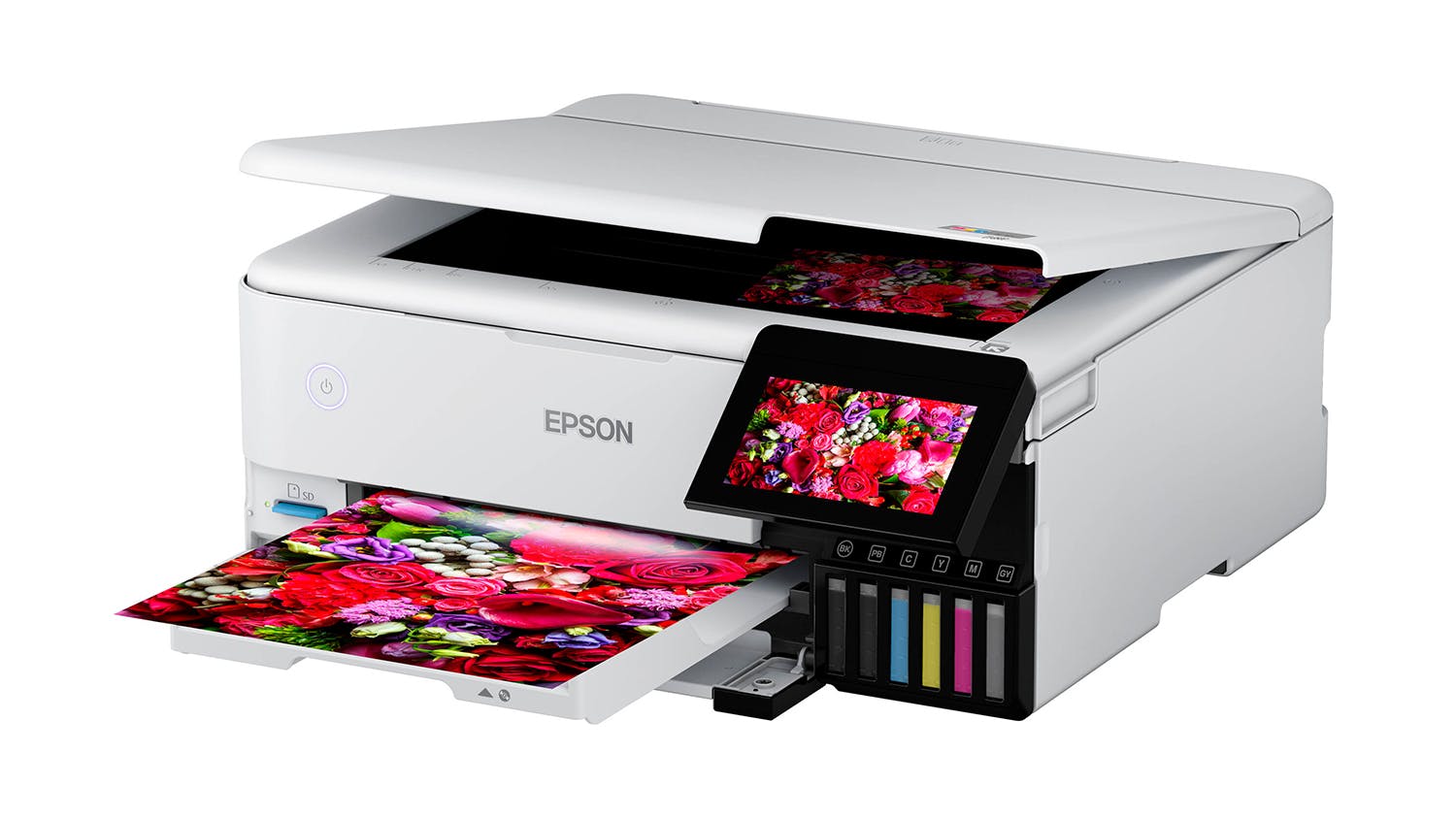
Achieve lab-quality photo prints using the Epson ET-8500 EcoTank Photo All-in-One Printer. A practical companion for your creative projects, this printer lets you print stunning photos on a different medium such as glossy paper, cardstock, DVD, and more. It incorporates a 6-colour Claria® ET Premium Ink system, making sure that the colour of the graphics are rich and the texts are sharp. Furthermore, it utilises low-cost ink bottles to save up to 80% compared to ink cartridges.

Key Features

  • Incredible Results: Employing a high-accuracy printhead and Claria ET Premium 6-color ink system, the EcoTank Printer helps you easily achieve lab-quality photos with crisp text and vivid colours1.
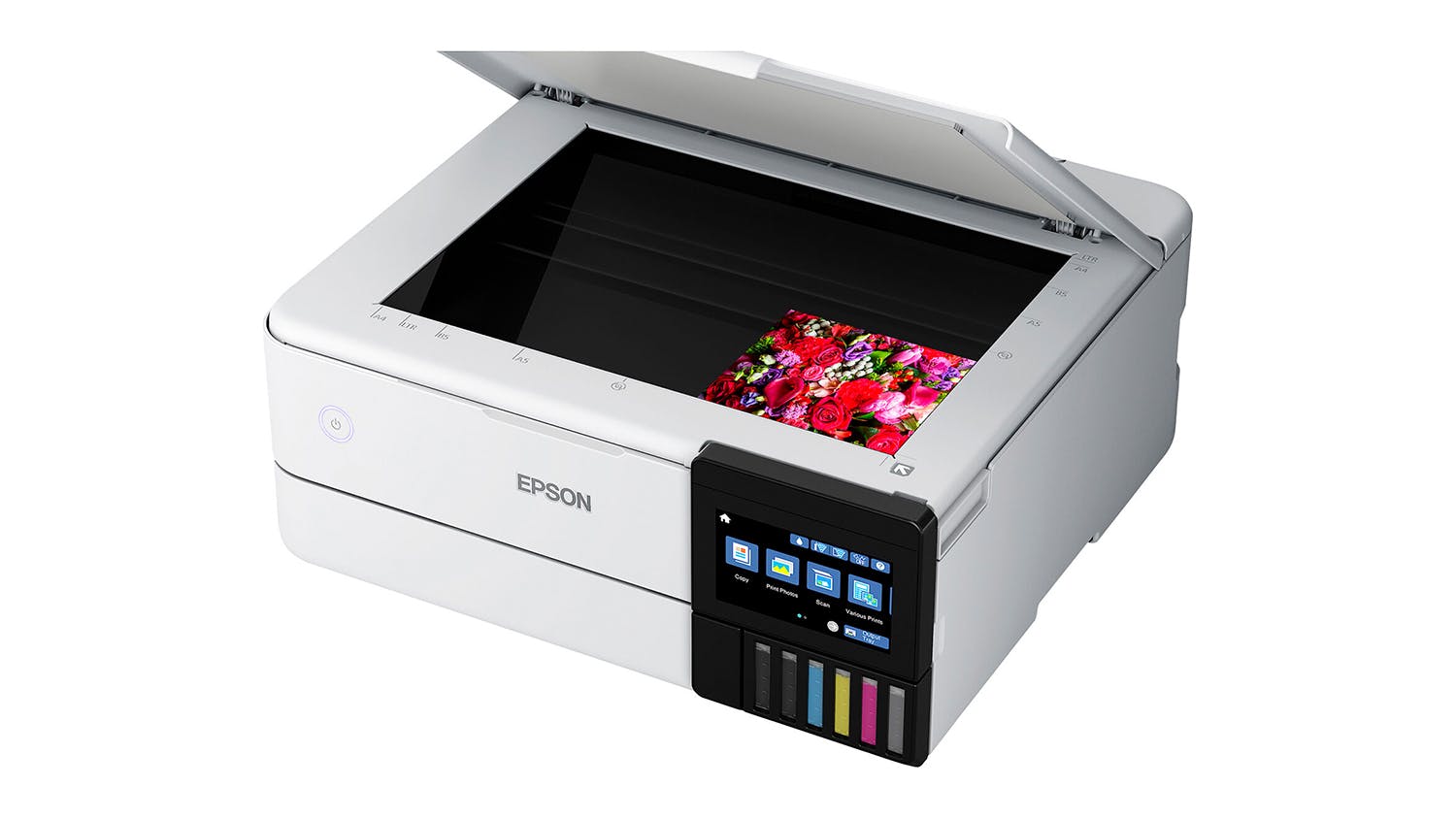
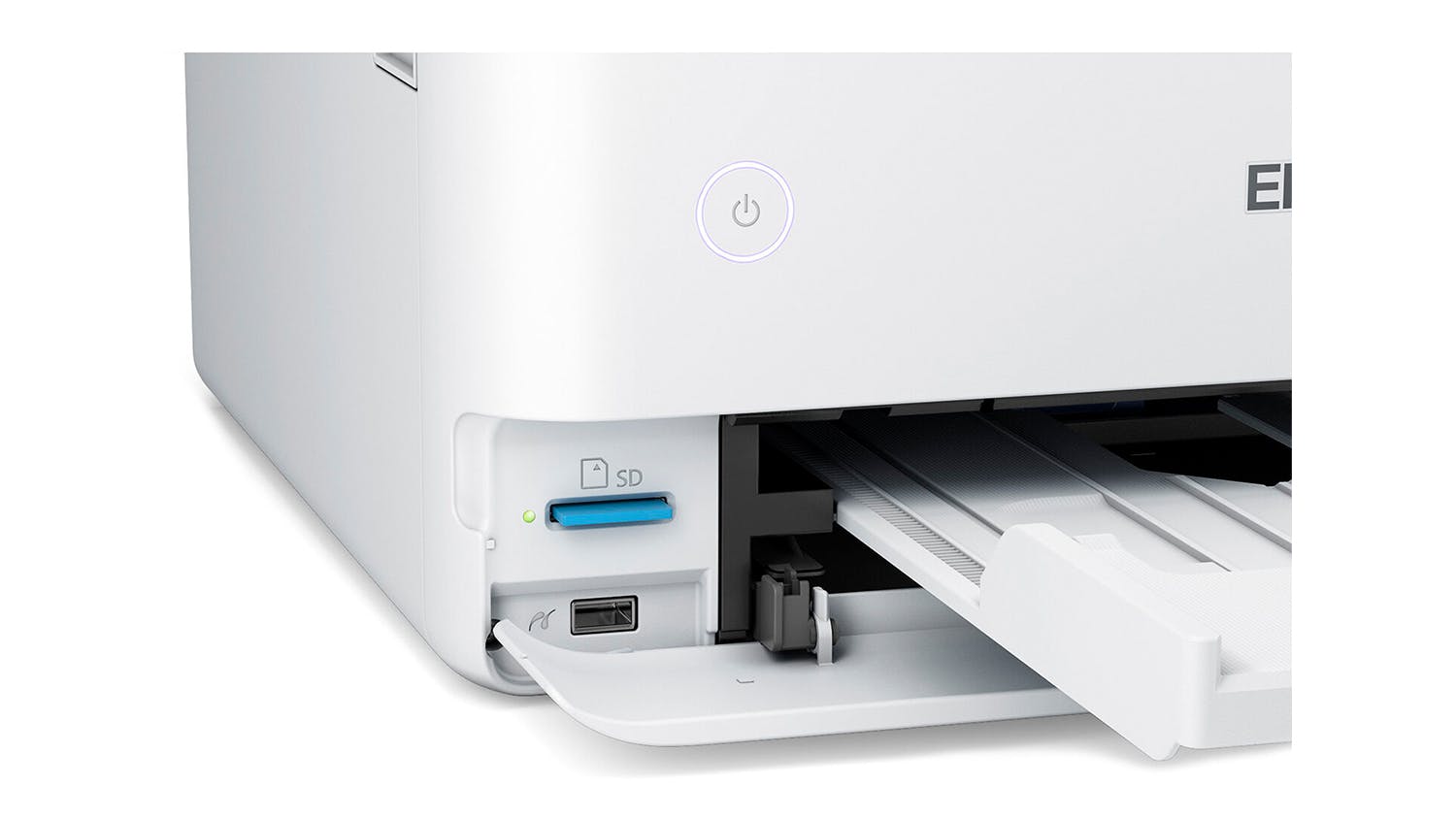
  • Media Handling Capabilities: Thanks to its versatile build, you can use this printer for CD/DVDs, cardstock, and different specialty media up to 1.3 mm thick. It also offers auto 2-sided printing and can produce borderless photos up to 8.5"x11" size.
  • Fast and Efficient: EcoTank lets you print stunning 4"x6" photo within just 15 seconds2. It also uses low-cost ink bottles that allow you to print up to 6,200 colour pages3.
  • Incredible Value: Delivering affordable in-house photo printing, enables you to save money without compromising quality4.
  • Print More: It includes an ink bottle set so you can print your photos right away and enjoy up to 2 years of printing5. Offering zero cartridge waste, every high-yield ink bottle set is equivalent to around 100 individual ink cartridges6.
  • Handy App: Download the Epson Smart Panel™ app to easily print and scan files from your iOS or Android device7.
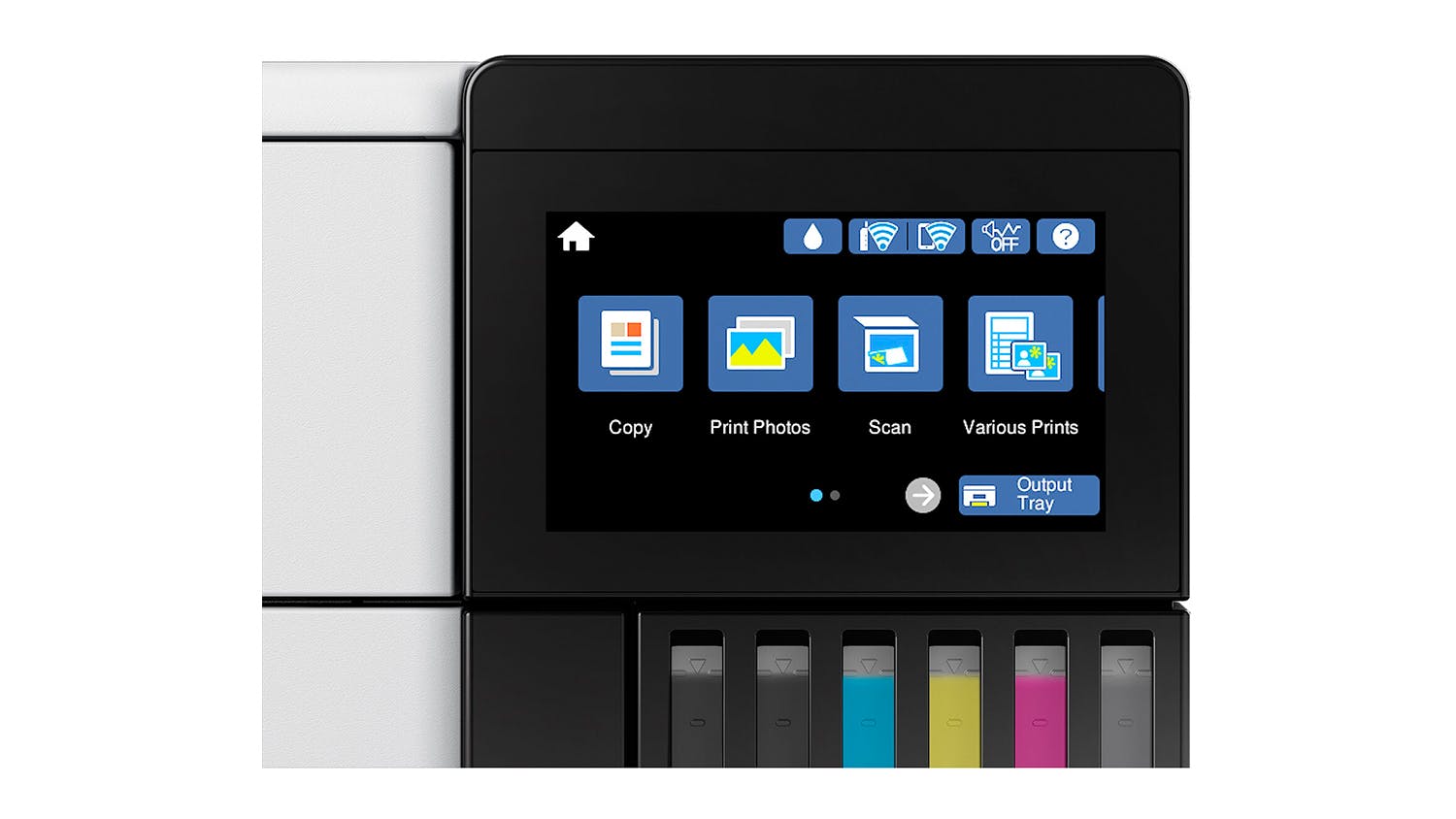
  • Ease of Use: For total convenience, this Epson Printer comes with an intuitive 4.3" touch display and supports voice-activated printing8.
  • Quick Refill: Its unique EcoFit ink bottle design lets you refill your printer with ease.
  • Eco Features: The Epson ET-8500 EcoTank is qualified by the ENERGY STAR® and compliant with RoHS. Additionally, it is a recyclable product9.

1 Color photo in Draft Mode on Premium Photo Paper Glossy measured from the start of paper feed.

2 Actual print times will vary based on system configuration, software, and page complexity. For more information, visit www.epson.com/printspeed.

3 Replacement ink bottle yields based on the ISO/IEC 24712 pattern with Epson's methodology. Actual ink yields will vary considerably for reasons including images printed, print settings, temperature and humidity.

4 Actual savings and costs will vary considerably based on print tasks, print volumes and usage conditions. Savings and cost per ISO 29103 page are based on the cost of replacement ink bottles.

5 Based on average monthly document print volumes of about 200 pages.

6 Individual cartridges estimate based on print yields of a replacement set of Black and Color ink bottles compared to Epson standard-capacity ink cartridges for similarly featured Epson consumer inkjet printers as of June 2020.

7 Epson Smart Panel App download required. Data usage fees may apply.

8 Epson Connect account and voice-activated account registration required. Visit www.epson.com/voice for device compatibility.

9 For convenient and reasonable recycling options, go to www.epson.com/recycle

Specifications
All Product Details
Brand Epson
Product Type Ink Tank Printers
Model Number C11CJ20501
Printer
Compatible Ink Cartridges/Toners T552
Scan & Copy Yes
Printer USB Cable Not Included (Sold Separately)
Print
Print Resolution 5760 x 1440
Document Print Speed 16
Paper Input Capacity 100
Duplex Printing Yes
Photo Print Speed 15
Camera Direct Printing Apple AirPrint
Scanner
Scanner Type Flatbed
Scan Resolution 1200 x 4800
Scan Speed (Pages Per Minute) 6
Maximum Document Scan Size A4
Copier
Automatic Document Feeder (ADF) Yes
Copy Speed 8
Maximum Document Copy Size A4
Fax
Fax No
Dimensions
Product Width 40.3 cm
Product Depth 36.9 cm
Product Height 16.2 cm
Product Weight 8.4 kg
Warranty
Manufacturers 12 Months
Reviews

Expert Reviews


Customer Reviews


Epson EcoTank ET-8500 A4 All-in-One Ink Tank Printer is rated 4.5 out of 5 by 145.
Rated 5 out of 5 by from Wow - Fabulous Printer! We've been buying Epson printers for well over twenty years and are pretty blown away by this new printer's features - how things have changed from the 1990s! We chose the Epson ET-8500 printer for its ability to print on cardstock up to 1.3mm thick and also for the amazing value this printer provides with the Ecotank feature - i.e. 1000s of pages printed for minimum outlay. Really looking forward to getting creative with my new printer! The Epson Smart Panel App is also a wonderful bonus that I'm still navigating and hope to make the most of all that this app offers.
Date published: 2023-11-22
Rated 3 out of 5 by from Paper out in cassette 1 issue Printing A4 plain paper worked well. Operation a bit noisy. A4 colour printing on photo paper good. However, when printing 6x4 colour prints after two prints received the error "Paper out in cassette 1" which was not the case. Appears paper gets as far as rear big roller and there it stays. Common error apparently. Some reviews suggest replacing springs.....seriously! Had to agree to terms and conditions even though the "page not found" error message occurred!
Date published: 2025-08-07
Rated 4 out of 5 by from Easy set up Easy to set up with the Epsom smart panel ap, takes about an hour and you need to stay close to follow prompts and stay connected via phone/wifi. Once the ap was downloaded to my phone, it connected to wifi and laptop with no problems. Loading the ink was pretty straight forward, there was a tiny amount of overflow which the printer panel alerted me to but this didnt impact colours when printing. Overall set up went smoothly and so far no issues.
Date published: 2024-08-29
Rated 4 out of 5 by from Sleek This printer is compact and sleek. a few challenges with set up but figured it out. The trays seem flimsy so it will be interesting to see how long they last. The rear paper feed guide is a bit of a fiddle to open and close and when open detracts from the sleek design. I use the printer for art/textile work and so far its printing well on cotton, Tissuetex, silk organza, rice paper, tracing paper all of which I attach to carrier sheets. The prints are a bit streaky on prepared inkjet transparency film, I will have to work on that. Pretty happy so far.
Date published: 2023-09-11
Rated 5 out of 5 by from Wow Wow, great product. Easy to use. Quality of the photos are excellent. Quiet and smooth working. The CD included is not for Mac. I needed to download from Epson website.
Date published: 2023-01-18
Rated 4 out of 5 by from So far, so good! I have just installed this printer and found it quite easy to do. All up, it took just over an hour - slowest part was downloading the online firmware to my PC. I chose this model as I mainly want to use it for printing good quality photos and am delighted with my first attempt. Having the extra ink bottles makes a huge difference in the quality. I’m sure that with a bit of practice I will get better. Would recommend.
Date published: 2025-03-06
Rated 4 out of 5 by from Superb prints once settings correct. Does superb prints if all the settings are correct. Printed album of about 100 photos as a gift, using a Mac. - fussy about paper and will give bad results if settings / paper are not correct - not clear if the printer’s settings control paper type or the computer’s. - pro quality paper has to be fed through rear tray. Thick paper setting makes no difference. I’d most likely make similar comments about any printer.
Date published: 2025-07-12
Rated 5 out of 5 by from Love it I primarily purchased this for printing high quality photographs. So far I’m not disappointed.
Date published: 2024-05-20
  • y_2026, m_4, d_1, h_12
  • bvseo_bulk, prod_bvrr, vn_bulk_3.0.43
  • cp_1, bvpage1
  • co_hasreviews, tv_6, tr_139
  • loc_en_NZ, sid_74135, prod, sort_[SortEntry(order=RELEVANCE, direction=DESCENDING)]
  • clientName_harvey-norman-en_nz
  • bvseo_sdk, p_sdk, 3.2.1
  • CLOUD, getContent, 315.83ms
  • REVIEWS, PRODUCT
Delivery
Delivery

We aim to dispatch orders within 2 days. Delivery costs are calculated based on your location and the size of your order. Furniture may take up to 8 weeks to deliver as most products are made specifically for your order. Some Customer Direct products are shipped from overseas and may take longer to arrive. Some goods may take longer to deliver if a product is currently not in stock. A staff member will contact you where this occurs.

Easy returns

If you feel your product has failed a Consumer Guarantee (as defined by New Zealand Consumer Law) then don't worry you can easily return it to your local Harvey Norman store. We'll even pay for the postage if you live in an area where there is no store. Our returns policy covers any purchased item ( conditions apply).

What's in the box
  • ET-8500 EcoTank
  • Instruction manual
  • CD-ROM for product setup
  • Power cord
  • USB cable not included (Optional extra)
  • Initial ink bottles: 552 Black, 552 Photo Black, 552 Cyan, 552 Magenta, 552 Yellow, 552 Grey
Terms & Conditions
Pricing Terms

Limit 2 per customer. Personal shoppers only. Trade not supplied. Available from Tuesday 31st April 2026 until midnight Tuesday 7th April 2026.

Questions & Answers

Can this printer be used for direct to film printing? If yes would it be compatible with the special inks needed?

Asked by: Tori
Thanks for your question Tori. It may be possible with a conversion kit, however, this would fall outside the normal operation for this printer, and would void the warranty if found to cause a fault. We sadly do not range any DTF specific printers. Hope this helps clarify! ^CO
Answered by: HN Customer Service
Date published: 2025-08-17

can the 8500 print on card stock - what is the max gsm paper it can print on? and is there a bypass paper feed?

Asked by: Samantha
Great question Samantha. Epson state the printer is able to accept specialty media up to 1.3mm thick through the manual input tray at the bottom. Primarily designed as a photo printer, we recommend using the paper types suggested on Epson's website specifically, to avoid any potential issues.
Answered by: HN Customer Service
Date published: 2023-10-12
  • y_2026, m_4, d_2, h_10CST
  • bvseo_bulk, prod_bvqa, vn_bulk_3.0.43
  • cp_1, bvpage1
  • co_hasquestionsanswers, tq_2
  • loc_en_NZ, sid_74135, prod, sort_[SortEntry(order=LAST_APPROVED_ANSWER_SUBMISSION_TIME, direction=DESCENDING)]
  • clientName_harvey-norman-en_nz
  • bvseo_sdk, p_sdk, 3.2.1
  • CLOUD, getContent, 296.16ms
  • QUESTIONS, PRODUCT
Product Care
With Product CareTM you can relax knowing Your purchase comes with additional protection.

Discover all the benefits Product CareTM brings you:
Certainty

With Product CareTM you have certainty that your product is covered for a specific period of time. If, during the Product CareTM term, your product fails to operate as a result of an Eligible Fault*, we will provide a one-off replacement of Your Product.

Support

Our experienced support team ensures that the assessment, replacement or remedy process under your Product CareTM is a convenient experience. Whether you are experiencing a product fault or needing toll free technical assistance, our team is here to provide support every step of the way.

Advantage

Redeem exclusive Additional Benefits which will help you maintain your product and assist in an additional purchase.


There are exclusions and limitations to Product CareTM. This section should always be read in conjunction with the Terms and Conditions for Product CareTM.

Learn more about Product CareTM.

Terms & Conditions

Pricing Terms

Limit 2 per customer. Personal shoppers only. Trade not supplied. Available from Tuesday 31st April 2026 until midnight Tuesday 7th April 2026.

Recommended for you

Please confirm your selection

Store Picker

Travel Mode

Stores