
Loading...

Epson EcoTank Photo ET-8550 A3 All-in-One Ink Tank Printer

Epson EcoTank Photo ET-8550 A3 All-in-One Ink Tank Printer

$1,202

Epson EcoTank Photo ET-8550 A3 All-in-One Ink Tank Printer

C11CJ21501
Epson ET-8550 EcoTank Photo All-in-One Printer
Shortlist Compare
Bonus
$1,202

$150 Harvey Norman Bonus Gift Card! Details

or 36 months of equal Gem Visa Interest Free Installments of
$33.39^
approximately
GEM Finance Card
Total repayments $1,202 excluding fees.
Find in Store

Available on 36 months of equal Interest Free instalments:

$33.39^
approximately
per month
^ Total repayments $1,202 (excluding fees). Payment is required monthly. Min purchase applies. Offer ends 30/06/2026. Exclusions, T&Cs & fees apply incl. a $55 Gem Visa estb. fee & annual fees ($65 Gem Visa (charged $32.50 half yearly)/$65 Gem CreditLine (charged $32.50 half yearly)). Interest rate (currently Gem Visa 29.49% p.a./CreditLine 29.95% p.a.) applies after any interest free term ends. Credit provided by Latitude Financial Services Ltd. For cash advances, an interest rate of 29.95% p.a. and fees of $2 Gem Visa/$6 Gem CreditLine applies. Further information on rates and fees can be found at gemfinance.co.nz.
How it works
Description

$150 Harvey Norman Bonus Gift Card!

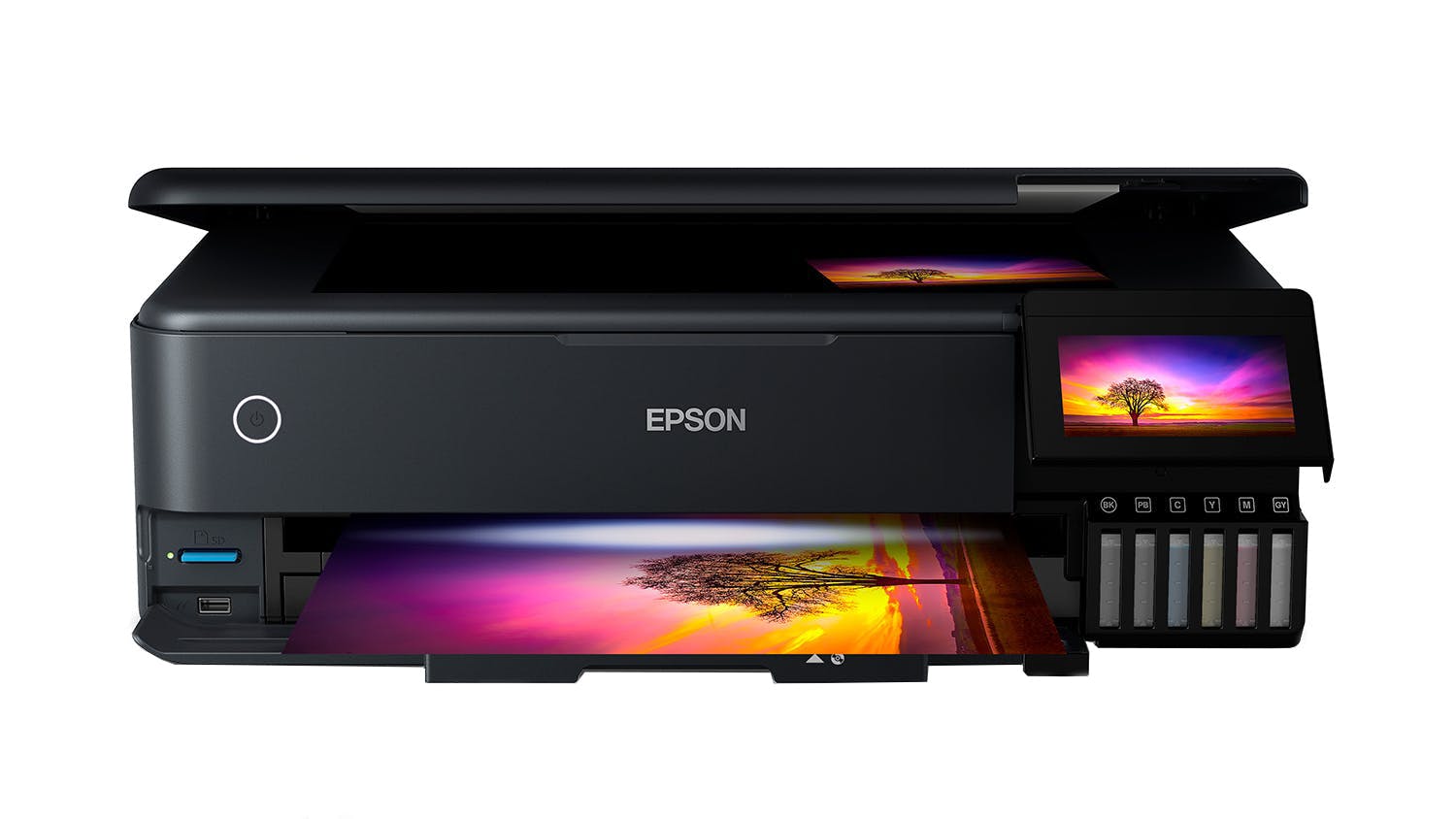
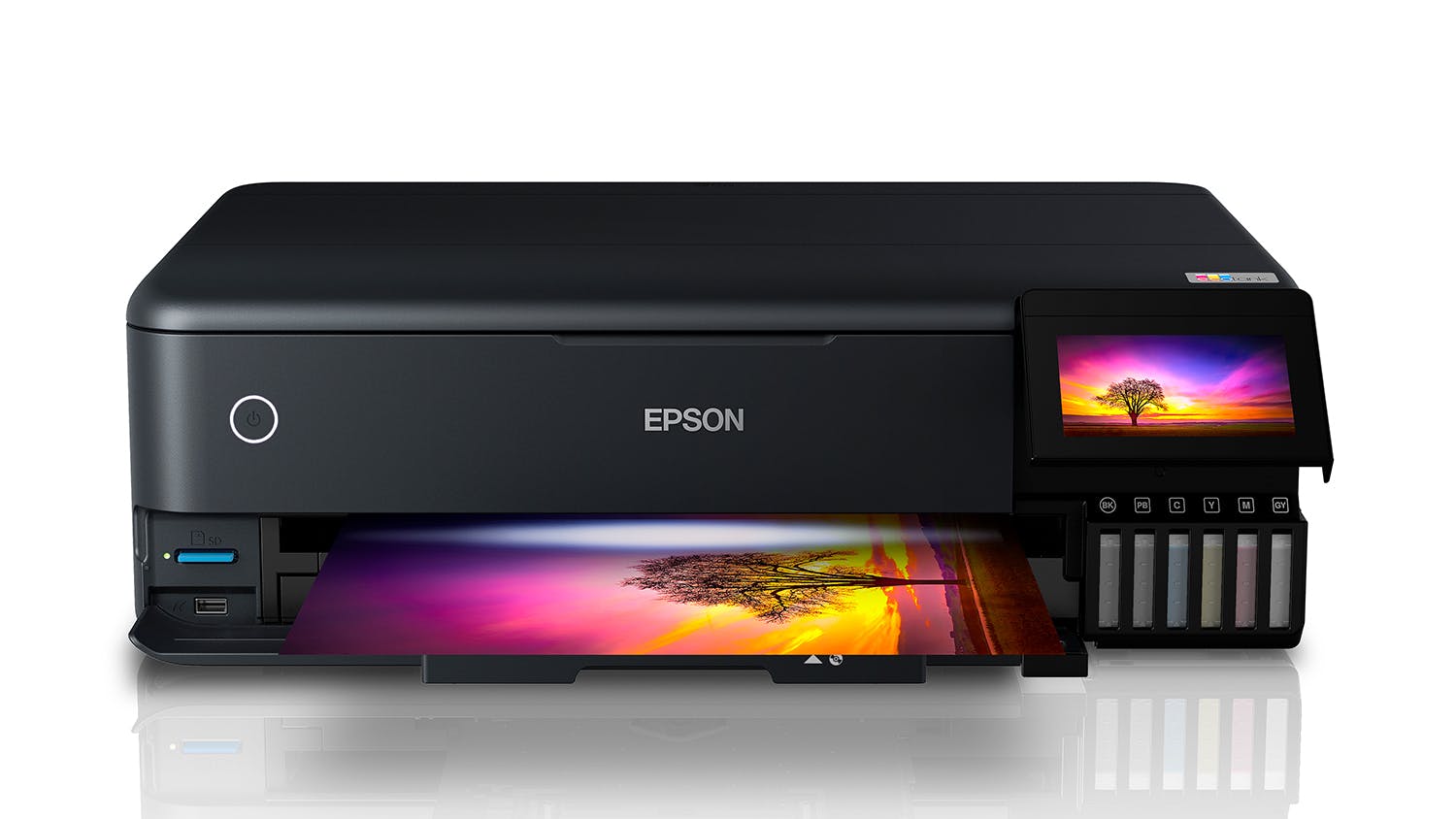
Produce high-quality prints at an amazing value thanks to the Epson ET-8550 EcoTank Photo All-in-One Printer. EcoTank is integrated with a high-accuracy printhead, ensuring that it provides vibrant colours and sharp text on every page. It boasts an efficient and versatile design that can accommodate different media such as CD, cardstock, and more. Plus, it works in tandem with the Epson Smart Panel™ app, making it easy to operate your printer through your smartphone.

Key Features

  • High-Quality Results: Incorporating a high-accuracy printhead and Claria ET Premium 6-color ink system, the EcoTank Printer delivers lab-quality photos with crisp text and vivid colours1.
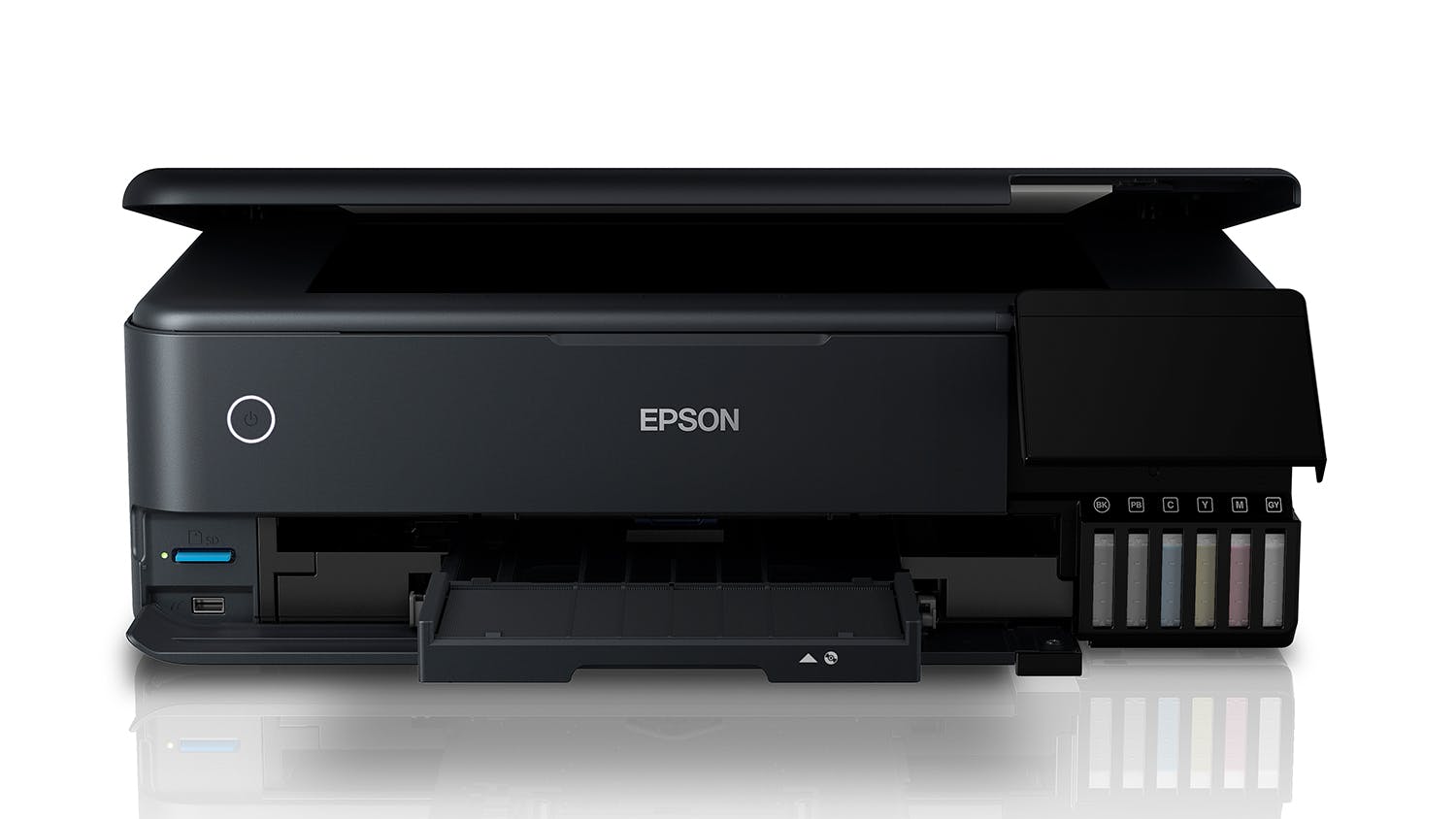
  • Media Handling Capabilities: It boasts versatile functionality, enabling you to print on CD/DVDs, cardstock, and different specialty media up to 1.3 mm thick. Furthermore, it supports auto 2-sided printing and allows you to produce borderless photos up to 13"x19" size.
  • Incredible Value: Get this Epson ET-8550 for affordable in-house photo printing. Perfect for your creative projects, it enables you to save money without compromising quality2.
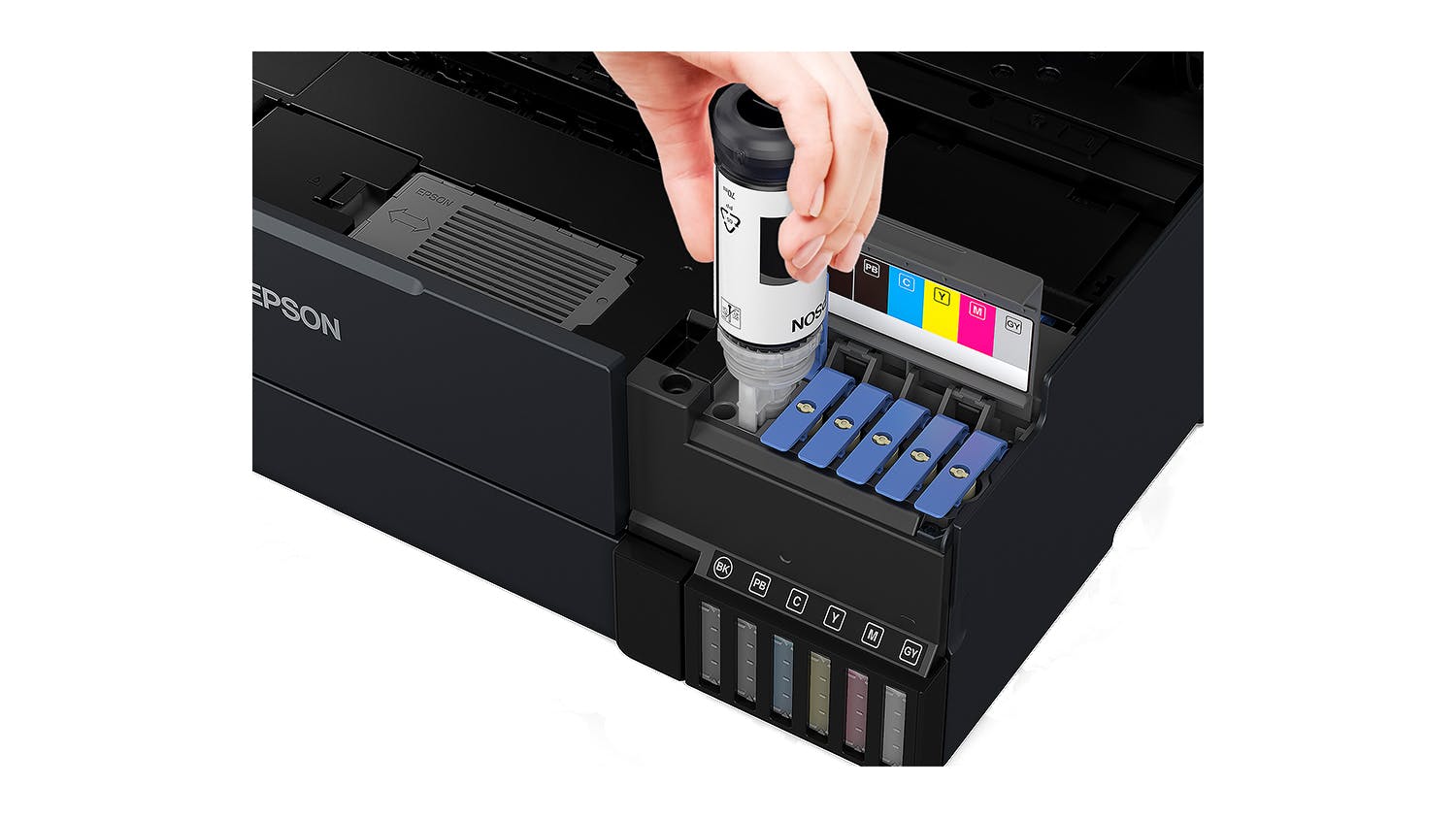
  • Fast and Efficient: EcoTank lets you print stunning 4" x6" photos within only 15 seconds3. It also uses low-cost replacement ink bottles, which can provide up to 6,200 printed colour pages4.
  • Print More: Included with an ink bottle set, you can now print your photos right away and enjoy up to 2 years of printing5. Every high-yield ink bottle set is also equal to 100 individual ink cartridges, providing zero cartridge waste6.
  • Companion App: Simply install the Epson Smart Panel™ app to easily set up and manage your printer using your iOS or Android device7.
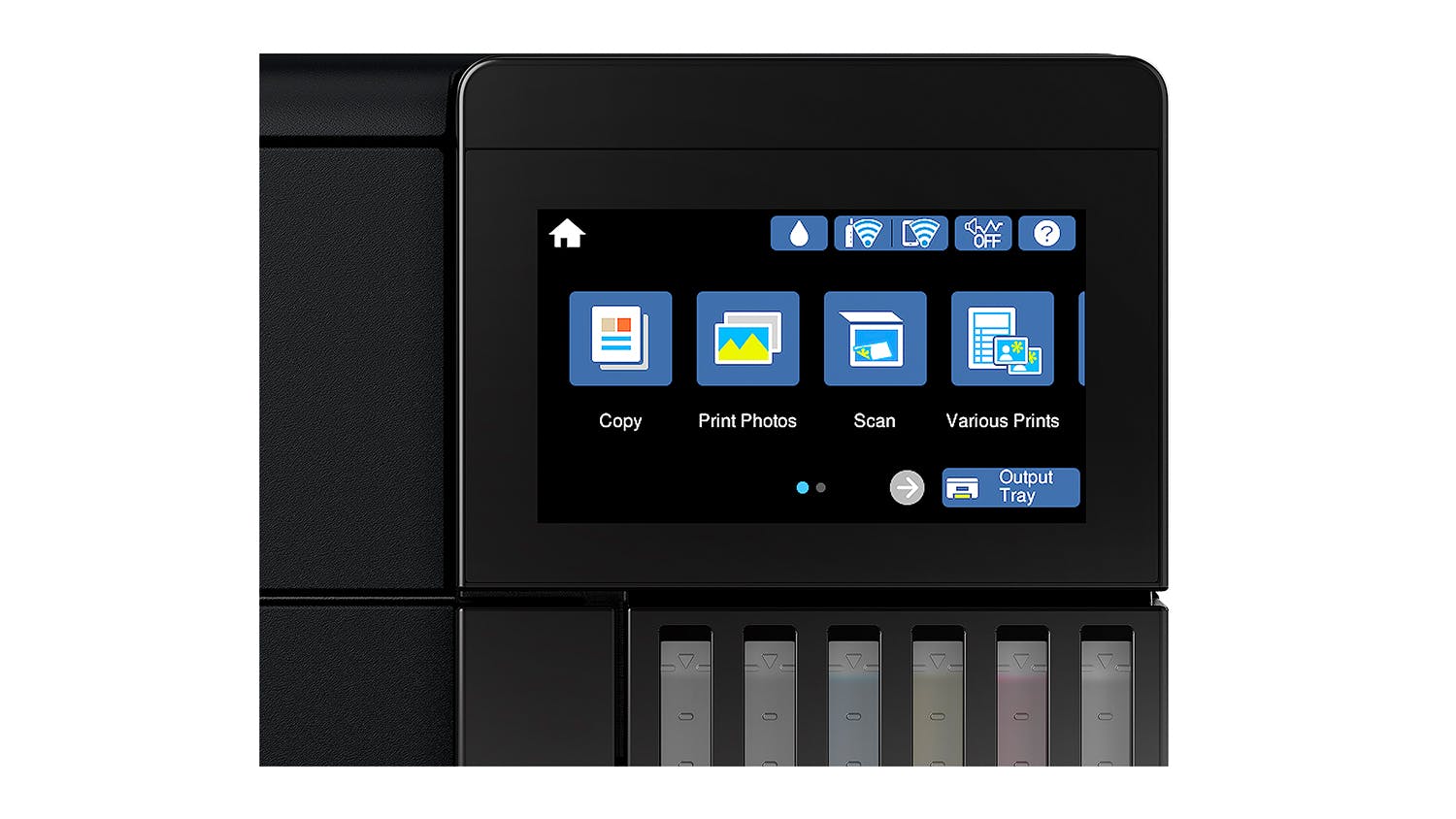
  • Total Convenience: A breeze to use, it comes with an intuitive 4.3" touch display and supports voice-activated printing8.
  • Easy Filling: Epson Ink Bottles features a unique EcoFit design that lets you refill with ease.
  • Eco Feature: Offering total peace of mind, the Epson ET-8550 EcoTank is qualified by the ENERGY STAR® and compliant with RoHS. Additionally, it is a recyclable product9.

1 Colour photo in Draft Mode on Premium Photo Paper Glossy measured from the start of paper feed.

2 Actual savings and costs will vary based on print tasks, print volumes and usage conditions. Savings and cost per ISO 29103 page are based on the price of replacement ink bottles.

3 Actual print times will vary based on factors, including system configuration, software, and page complexity. For more information, visit www.epson.com/printspeed.

4 Replacement ink bottle yields based on the ISO/IEC 24712 pattern with Epson's methodology. Actual ink yields will vary depending on images printed, print settings, temperature and humidity.

5 Based on average monthly document print volumes of about 200 pages.

6 Individual cartridges estimate based on print yields of a replacement set of Black and Color ink bottles compared to Epson standard-capacity ink cartridges.

7 Epson Smart Panel App download needed. Data usage fees may apply.

8 Requires Epson Connect account and voice-activated account registration. See www.epson.com/voice for device compatibility.

9 For convenient and reasonable recycling options, please visitwww.epson.com/recycle

Specifications
All Product Details
Brand Epson
Product Type Ink Tank Printers
Model Number C11CJ21501
Printer
Compatible Ink Cartridges/Toners T552
Scan & Copy Yes
Printer USB Cable Not Included (Sold Separately)
Print
Print Resolution 5760 x 1440
Document Print Speed 16
Paper Input Capacity 100
Duplex Printing Yes
Duplex Printing Type Automatic Duplex Printing
Photo Print Speed 15
Camera Direct Printing Apple AirPrint
Scanner
Scanner Type Flatbed
Scan Resolution 1200 x 4800
Scan Speed (Pages Per Minute) 6
Maximum Document Scan Size A4
Copier
Automatic Document Feeder (ADF) Yes
Copy Speed 8
Maximum Document Copy Size A3
Fax
Fax No
Dimensions
Product Width 52.3 cm
Product Depth 37.9 cm
Product Height 16.9 cm
Product Weight 11.1 kg
Warranty
Manufacturers 12 Months
Reviews

Expert Reviews


Customer Reviews


Epson EcoTank Photo ET-8550 A3 All-in-One Ink Tank Printer is rated 4.7 out of 5 by 54.
Rated 5 out of 5 by from An amazing printer, but be ready to put the work This is an amazing printer! I would highly recommend it, just be ready to put in some work to get the most out of it. The reason it does such an amazing job is that it is so customisable. It is really crucial to understand how to use it well: what paper to use, with which settings etc because every one of those factors will affect the output. Don’t assume it is a bad printer if the output isn’t quite what you want. Try different papers on different settings. It has done beautiful fine art prints for me, beautiful photos and cards, but only when I test and try to get the best fit for each image and paper. I would highly recommend this printer!!
Date published: 2022-05-22
Rated 4 out of 5 by from NIce Printer/Scanner I bought this from HN in September 2021, so far so good!. Once setup and ink is filled, which is quite easy and no mess there was a little left over in each bottle, pretty much to the bottom of the label on the bottle was left, the printer goes through about 14 pages (forget the number) of various setup routines. It used a reasonable amount of ink in its initial prime and test pages, so much so I could use the remainder of the ink in the bottles to top it up. There is still a little ink in the bottles. With the setup of the Wi-Fi connection, I have a dual band setup and the modem/router places into a 'Smart' connection so there is only one visible connection, some devices that are 2.4ghz are clever enough to see through that and connect, but not this printer, I had to disable the 5ghz band and setup only with the 2.4ghz running, then all went well. I have been able to print from my laptop, my phone and also from my work supplied laptop. The printer also wakes from sleep mode without having to do anything and the paper tray self ejects to catch your prints, but you do have to press the touch screen button to close it. The CD/DVD tray is apparently stored under the printer, I havent looked as yet. Plus they say to store it there when not in use. The first photo print we did came out nice, however dimmer than the picture, so some pre-processing to enhance the picture might be needed. Perhaps this is due to mu phone screen showing brighter colours than what was actually there on the day. Text printing is clear, but will depend on the quality of the text you are printing. Sometimes it prints quite quick and other times it sits there waiting for the info to be sent, so I think connection speed is important. I have also used the auto double sided print function and that worked quite well. We have used the scanner twice so far to, 1 to create a PDF and 2nd to create a copy of a page and it worked very well. We are extremely happy with the ET-8550 so far!
Date published: 2021-10-13
Rated 5 out of 5 by from Great printer, love the inks and quality of prints Best purchase for our business. We were previously using ET-2850 and this printer with its added inks is so much better. The print quality on vinyls is especially nice, without any smudging or colour bleed (if you use the correct paper). Only thing I don't like is that the paper tray doesn't automatically retract when the printer turns off, it does automatically extend when you start a print. This printer is also very good for printing invoices with it's built in paper tray (it's small but better than having to load paper at the back all the time).
Date published: 2025-07-10
Rated 5 out of 5 by from Best Printer For Photographers This photo printer is the right choice for photography, it is easy to use ,and is great on the ink cost I havent stop printing photos for friends and family ,the print quality is excellent and the colours are beautiful. I picked the right printer for photography. I would recommend this printer to photographers For great professional prints
Date published: 2022-11-01
Rated 1 out of 5 by from Great when it works, which is about 6 months I bought this printer for my business in May and after 6 months strange faded stripes appeared down the side of anything printed on matte photo paper. I sent it back to be repaired, as it's still under warranty, and after waiting for it for a few weeks HN have just asked me to collect today claiming the problem has been fixed. It hasn't. The banding is still there clear as day. I own an business that relies on this printer for quality prints so i'm less that impressed by the hassle and loss of revenue this has caused. Not fit for purpose and needs to be refunded.
Date published: 2022-12-02
Rated 5 out of 5 by from Excellent quality printer for home use! Excellent quality printer, easy to setup (need to make sure all blue tapes are removed though as they are literally in nooks and crannies), easy to connect and install. Great and fast quality printout for my home use. Thank goodness for the automatic double-sided printing as my previous printer is highly erroneous and thus wasteful doing manual double-sided. Ink Tanks are the way to go as plastic cartridges are cash cow and horrible environmental waste.
Date published: 2024-04-25
Rated 4 out of 5 by from Almost perfect Have bought 2 on special, one for general and one for sublimation. Haven'y set up for sublimation yet but have been using for general for a couple weeks now. Haven't been able to load scanning settings yet. Was a little more technical to set up than previous printers and haven't explored all functions yet. Has been giving me a small black smudge on bottom of page and I thought the ink would last longer than they have been. I converted a previous epson to sublimation a couple years ago and still have not even used first lot of inks and I have done a lot of printing on it. It uses a little to fill the lines, but the blue and yellow are almost halfway mark in a couple of weeks, and I haven't printed photos yet. Have printed 1 photo after setting up and was very impressed with detail. So far am happy and hoping I will save on ink in the long run.
Date published: 2024-12-19
Rated 1 out of 5 by from I’ll never buy another rosin printer again You would expect a printer of this price to last longer than 12 months, sadly it broke down twice in this period and epson refused to repair a fault on the second occasion as I used a different brand of photo paper.
Date published: 2022-06-22
  • y_2025, m_12, d_4, h_7
  • bvseo_bulk, prod_bvrr, vn_bulk_3.0.42
  • cp_1, bvpage1
  • co_hasreviews, tv_3, tr_51
  • loc_en_NZ, sid_74134, prod, sort_[SortEntry(order=RELEVANCE, direction=DESCENDING)]
  • clientName_harvey-norman-en_nz
  • bvseo_sdk, p_sdk, 3.2.1
  • CLOUD, getContent, 276.21ms
  • REVIEWS, PRODUCT
Delivery
Delivery

We aim to dispatch orders within 2 days. Delivery costs are calculated based on your location and the size of your order. Furniture may take up to 8 weeks to deliver as most products are made specifically for your order. Some Customer Direct products are shipped from overseas and may take longer to arrive. Some goods may take longer to deliver if a product is currently not in stock. A staff member will contact you where this occurs.

Easy returns

If you feel your product has failed a Consumer Guarantee (as defined by New Zealand Consumer Law) then don't worry you can easily return it to your local Harvey Norman store. We'll even pay for the postage if you live in an area where there is no store. Our returns policy covers any purchased item ( conditions apply).

What's in the box
  • Epson ET-8550 EcoTank Photo All-in-One Printer
  • Instruction manual
  • CD-ROM for product setup
  • Power cord
  • Maintenance box (one inbuilt and one spare)
  • Initial ink bottles: T552 Grey, Black, Photo Black, Cyan, Magenta & Yellow Initial Inks
Terms & Conditions
Pricing Terms

Limit 2 per customer. Personal shoppers only. Trade not supplied. Available from 6pm Wednesday 3rd December 2025 until midnight Tuesday 16th December 2025.

Offer Terms

Harvey Norman Bonus Gift Cards are issued on receipt of goods and expire 2 Months from date of issue. Bonus gift cards are not redeemable for cash and cannot be used in the transaction in which it is issued. If goods are refunded, then the gift card must be returned (if unused) or the value of the gift card must be deducted from the refunded amount. See www.harveynorman.co.nz/gift-card-terms-and-conditions.html or in-store for terms and conditions. Offer ends 5:59pm Tuesday 16th December 2025.

Questions & Answers

What is the maximum paperweight (gsm) the Epson Eco Tank Photo ET-8550 A3 All-in-One Ink Tank Printer can handle?

Asked by: Judi
Hi there. The printer can handle a maximum paper weight of 300gsm when using the rear straight pass feed for certain types like photo paper. For plain paper, the maximum weight is lower, and for automatic duplex (two-sided) printing, it is limited to 90gsm. We trust this helps with your query
Answered by: HN Customer Service
Date published: 2025-11-24

Does this printer take 300gsm card and can it print borderless?

Asked by: Tracey C
Great question Tracey! Epson state the printer is able to accept specialty media up to 1.3mm thick through the rear manual input tray. Primarily designed as a photo printer, we recommend using the paper types suggested on Epson's website specifically, to avoid any potential issues. ^CO
Answered by: HN Customer Service
Date published: 2025-03-28

Hii can this printer printing be used for t-shirt printing

Asked by: Swalihah
Hi Swalihah. The Epson ET8550 is 6 colour multi-function printer. This printer is perfect for most sublimation products, especially for sublimation T-shirt printing. Sublimation shirt printing is a specific process of printing that first involves printing onto a special sheet of paper, then transferring that image onto another material (usually polyester or a polyester mix). The ink is then heated until it disintegrates into the fabric. You will need to used sublimation ink in the printer as well as the sublimation paper. But yes it is possible. We trust this helps
Answered by: HN Customer Service
Date published: 2023-11-14

Does this printer print up to A3? Elsewhere I'm only seeing this model as A3, but on this website it's showing A4.

Asked by: CShores
Thanks for your question. I can confirm that this printer does print up to A3. Trust this helps!
Answered by: HN Customer Service
Date published: 2023-03-20

What is the actual max scan size? Specs here say it's A3, but Epson website says it's A4.

Asked by: znesic
Thanks for your question Zoran. We can confirm the max scan size on the flatbed is indeed A4 and has been updated to reflect this. The print size is A3 through the rear feed paper tray. Hope this helps clarify.
Answered by: HN Customer Service
Date published: 2021-12-21
  • y_2025, m_12, d_4, h_7CST
  • bvseo_bulk, prod_bvqa, vn_bulk_3.0.42
  • cp_1, bvpage1
  • co_hasquestionsanswers, tq_5
  • loc_en_NZ, sid_74134, prod, sort_[SortEntry(order=LAST_APPROVED_ANSWER_SUBMISSION_TIME, direction=DESCENDING)]
  • clientName_harvey-norman-en_nz
  • bvseo_sdk, p_sdk, 3.2.1
  • CLOUD, getContent, 298.67ms
  • QUESTIONS, PRODUCT
Product Care
With Product CareTM you can relax knowing Your purchase comes with additional protection.

Discover all the benefits Product CareTM brings you:
Certainty

With Product CareTM you have certainty that your product is covered for a specific period of time. If, during the Product CareTM term, your product fails to operate as a result of an Eligible Fault*, we will provide a one-off replacement of Your Product.

Support

Our experienced support team ensures that the assessment, replacement or remedy process under your Product CareTM is a convenient experience. Whether you are experiencing a product fault or needing toll free technical assistance, our team is here to provide support every step of the way.

Advantage

Redeem exclusive Additional Benefits which will help you maintain your product and assist in an additional purchase.


There are exclusions and limitations to Product CareTM. This section should always be read in conjunction with the Terms and Conditions for Product CareTM.

Learn more about Product CareTM.

Terms & Conditions

Pricing Terms

Limit 2 per customer. Personal shoppers only. Trade not supplied. Available from 6pm Wednesday 3rd December 2025 until midnight Tuesday 16th December 2025.

Offer Terms

Harvey Norman Bonus Gift Cards are issued on receipt of goods and expire 2 Months from date of issue. Bonus gift cards are not redeemable for cash and cannot be used in the transaction in which it is issued. If goods are refunded, then the gift card must be returned (if unused) or the value of the gift card must be deducted from the refunded amount. See www.harveynorman.co.nz/gift-card-terms-and-conditions.html or in-store for terms and conditions. Offer ends 5:59pm Tuesday 16th December 2025.

Recommended for you

Please confirm your selection

Store Picker

Travel Mode

Stores